How to Share Contact Labels Directly From Gmail
ContactsFlow™ (formerly Shared Contacts for Gmail™) users are able to share contact labels (lists) right from their Gmail dashboard thanks ContactsFlow™ (formerly Shared Contacts for Gmail™) Add-on. The Add-on allows both the recipient and sender’s contact details from an email as well as share these contacts all from their Gmail dashboard.
Time needed: 4 minutes
We are going to show you exactly how you can share those contacts from Gmail.
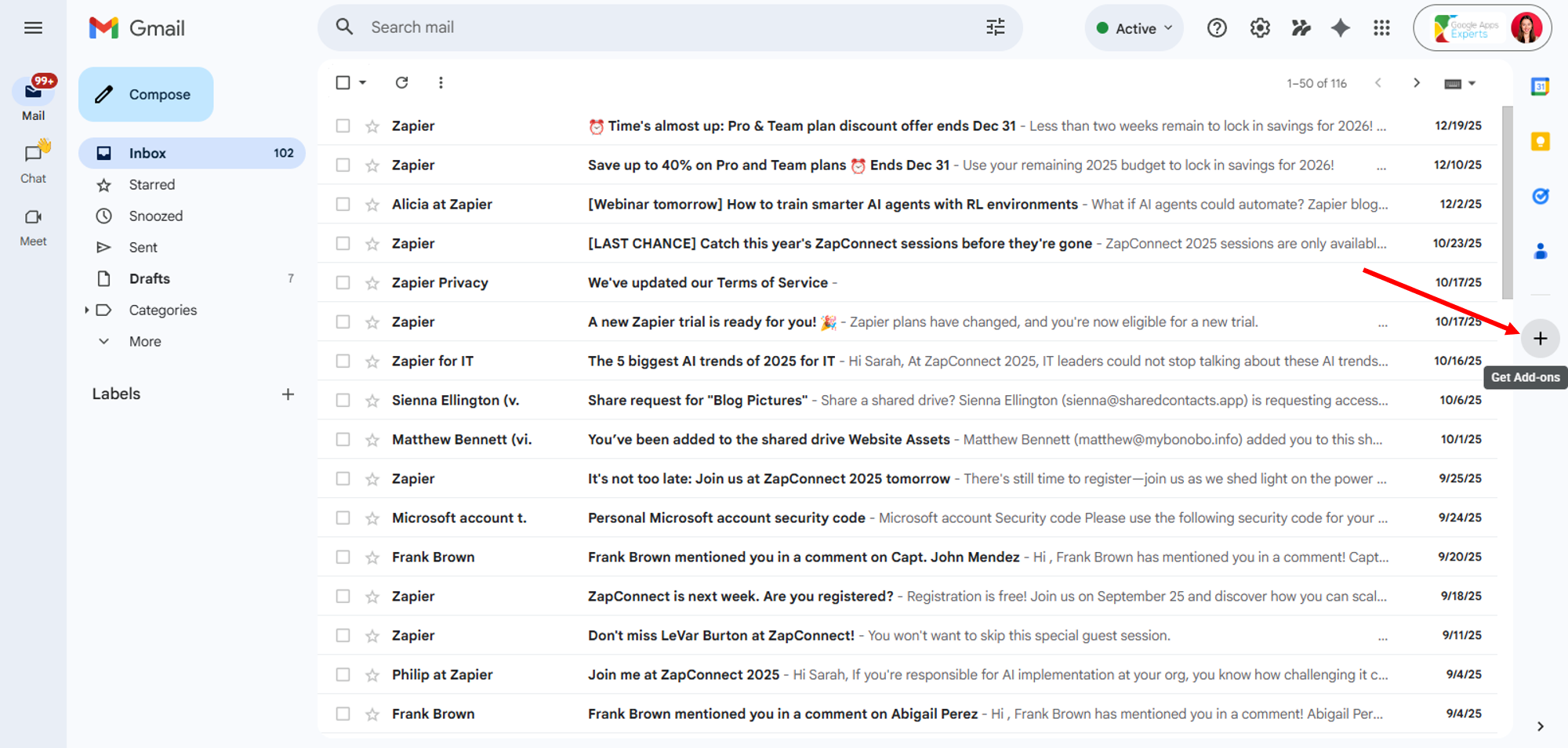
- Log in to your Gmail and click the ‘+’ icon on the right-hand side of your screen.
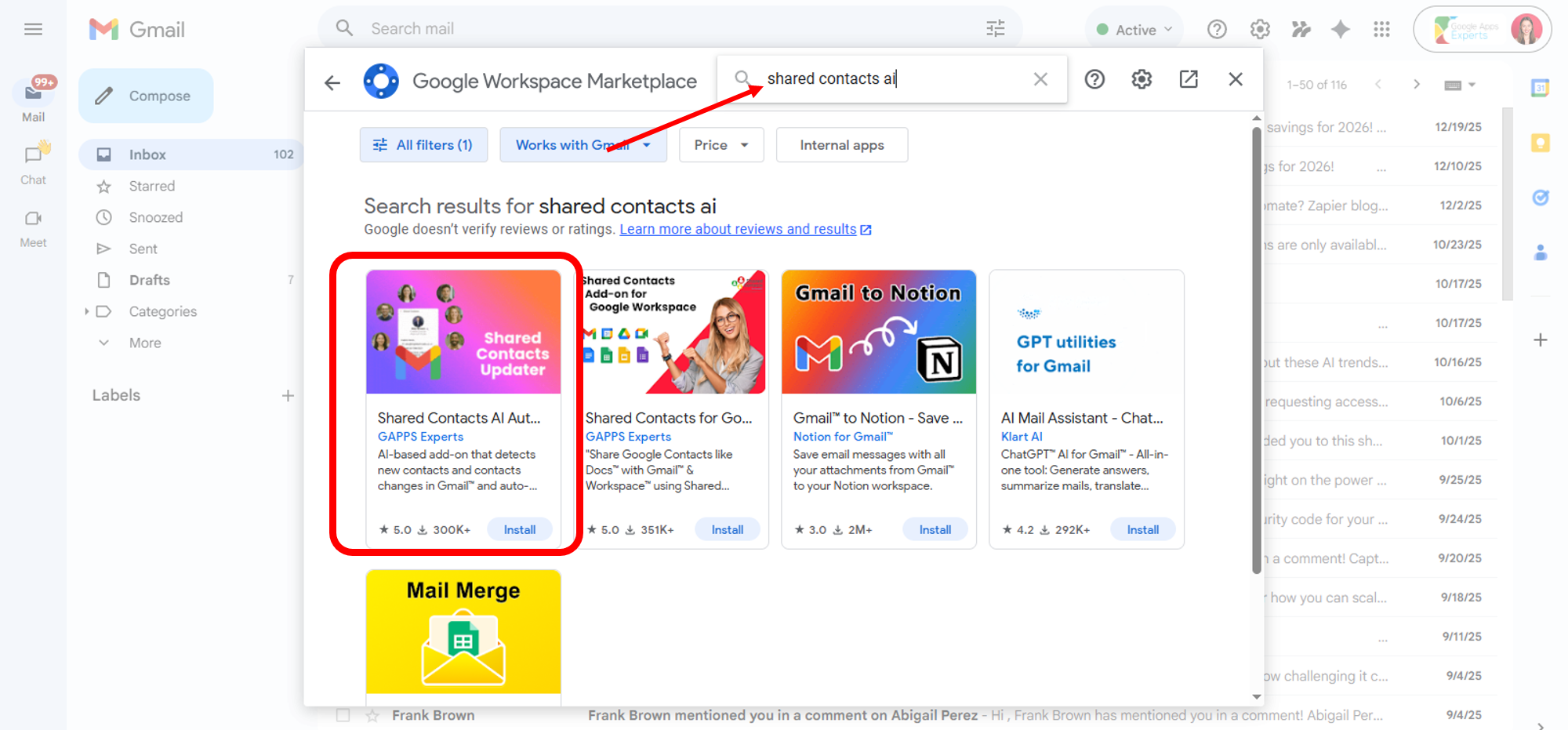
- Find Shared Contacts AI Auto Updater for Gmail
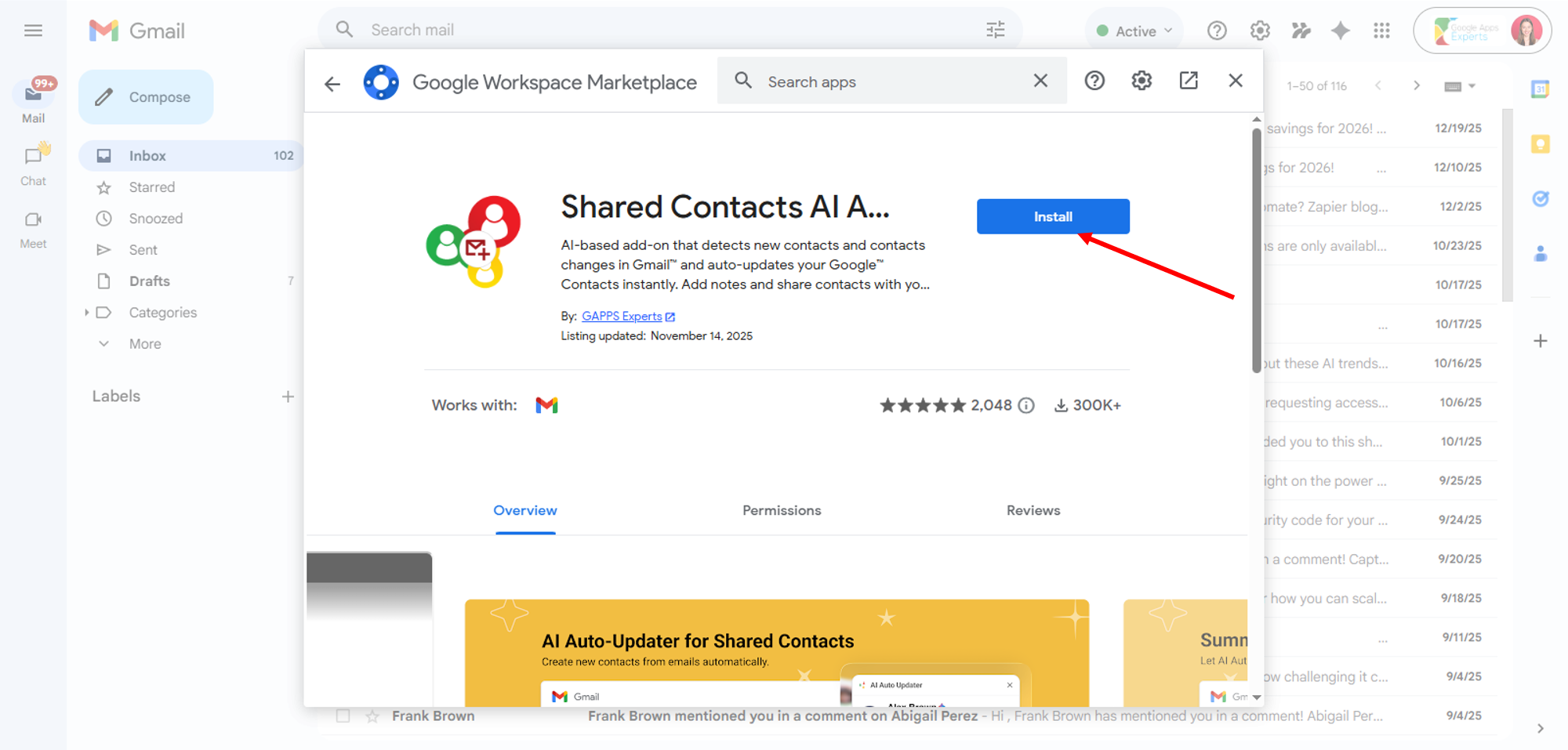
- Click Install, then follow the on-screen prompts to complete the installation.
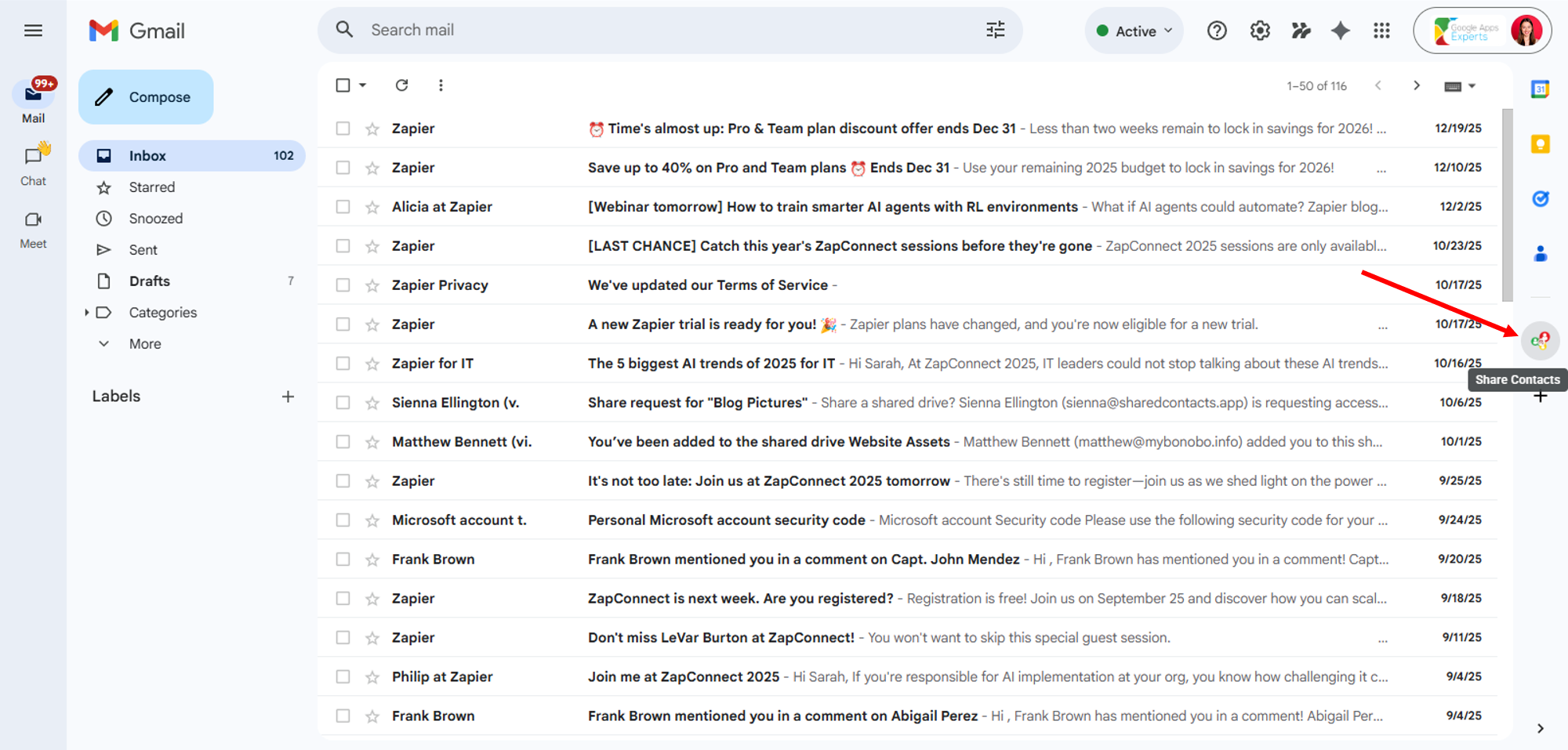
- Return to Gmail, then click the ContactsFlow™ (formerly Shared Contacts for Gmail™) icon in the left panel to start sharing contacts.
- Click the phone book icon.
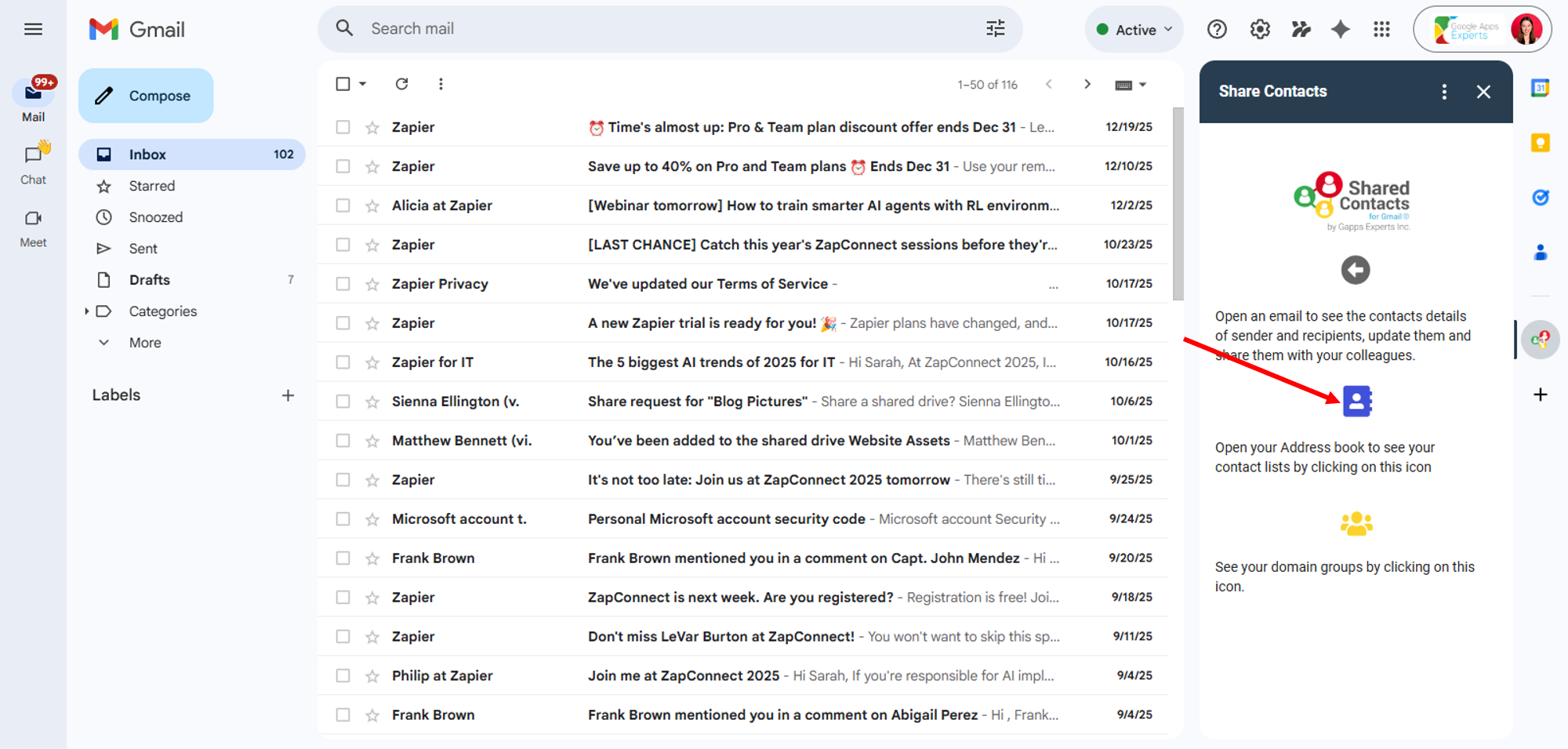
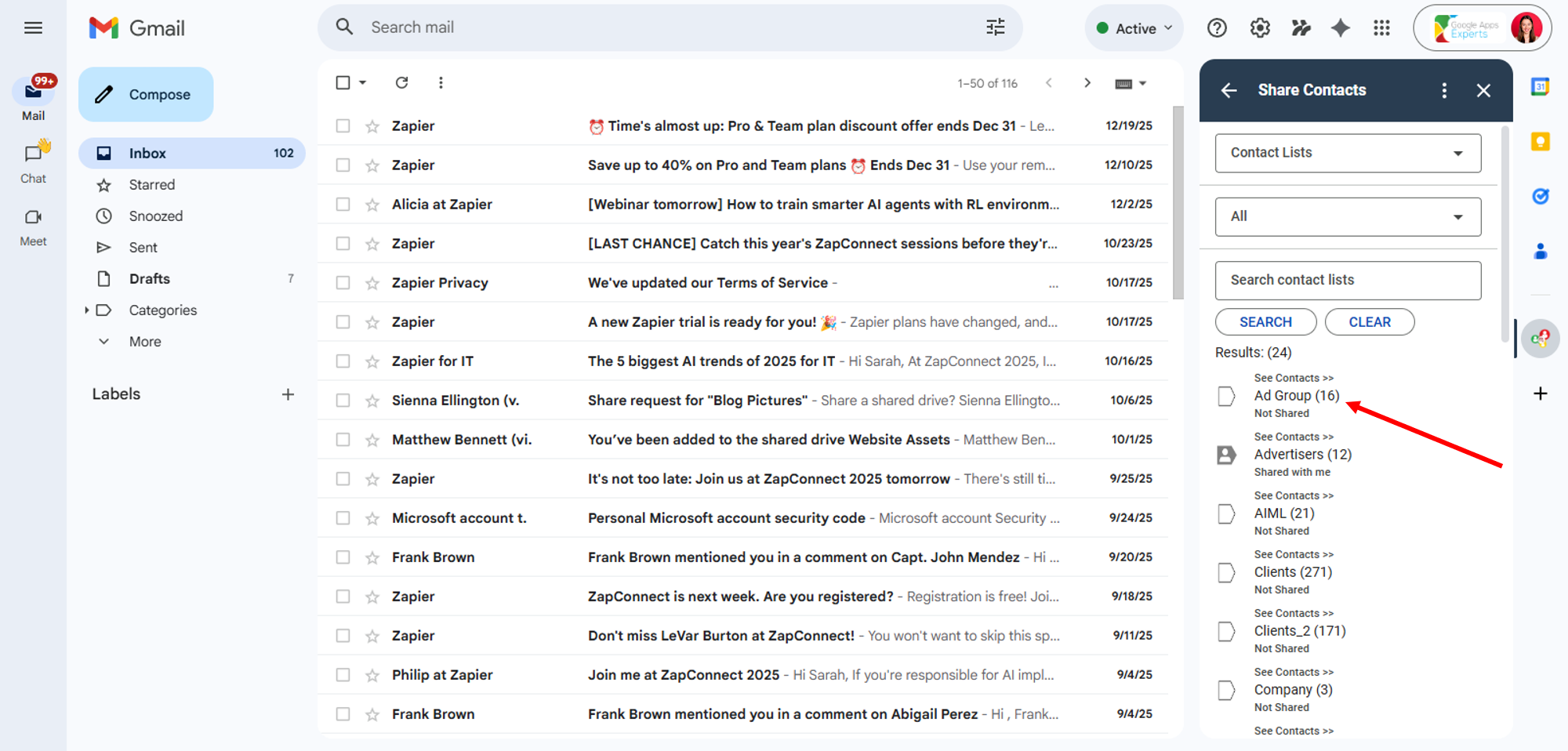
- Find the contact label you want to share and click it.
Use the search bar to find contact lists quickly.
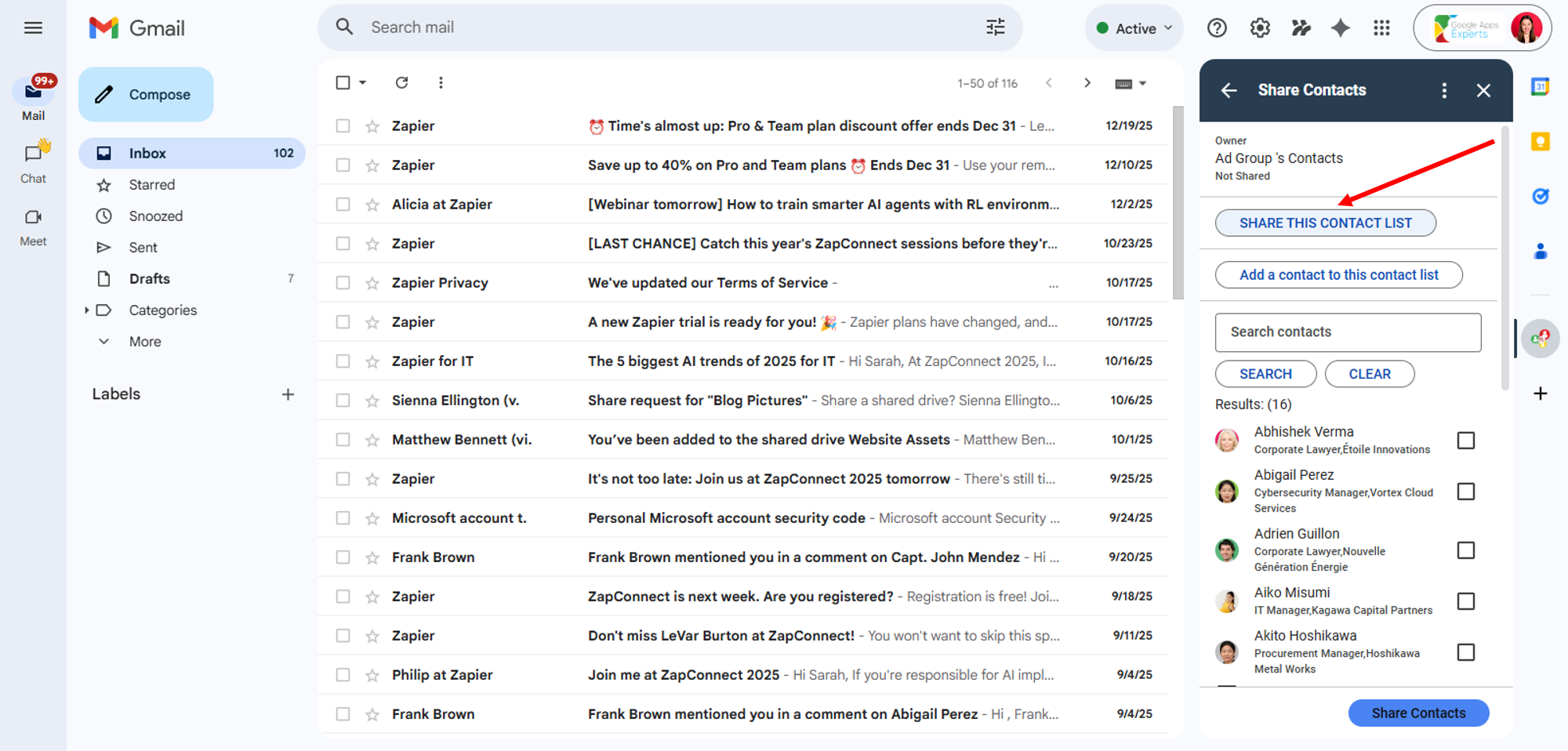
- Within the selected label, click Share this contact list.
You can also add new contacts to the label by clicking ‘Add a contact to this contact list.
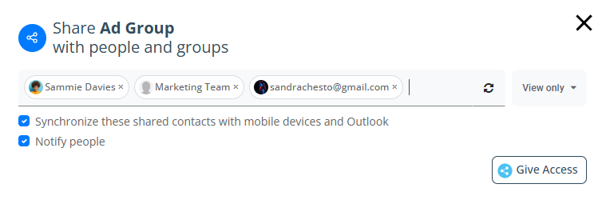
- Enter the collaborators you want to share this label with, then click Give Access.
Enter a name, email address, Google Group, or private Gmail account to add collaborators. Access is set to View Only by default. Use the dropdown to change it.
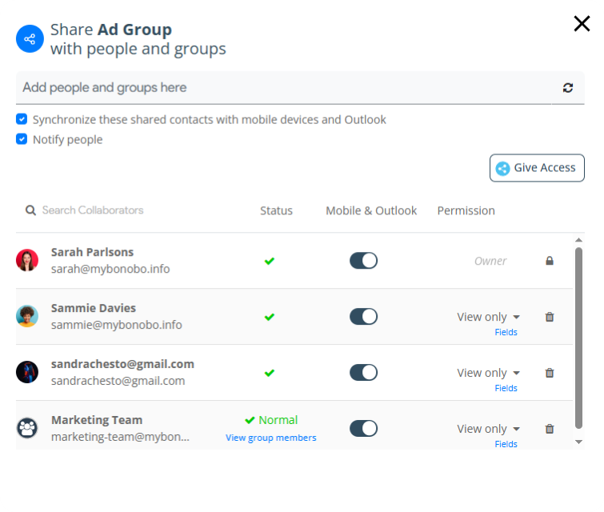
- Your label is now shared, and you can manage additional settings in this window.
You can update access permissions by clicking the dropdown next to View Only (e.g., Editors, Managers, etc). You can also configure Mobile & Outlook sync and choose which contact fields are visible by clicking Fields.
Takeaway:
Sharing contacts is one of the most requested features in the Google ecosystem—but it isn’t possible with Google Contacts alone. That’s why the ContactsFlow™ (formerly Shared Contacts for Gmail™) Gmail add-on was created.
Install the add-on in Gmail, then start sharing your first contact list directly from your inbox to keep your team’s contacts organized and up to date.


